You did the OpenSpec part properly. You described the change, read the proposal the agent wrote back, argued with the design, went through the delta specs line by line until the WHEN/THEN scenarios said what you meant. The tasks.md checklist is honest. Everything you know about this change is written down in your repo, not scattered across a chat history.
Then you type /opsx:apply, and you become a passenger. The agent works the checklist in one pass. It reads your code, decides things you were never asked about, and hands back a result. You learn what it understood by reading the diff, all of it at once, after every task is already done, when fixing anything is the most expensive. The change you actually ship is decided between task one and task twelve, and that part happens in a terminal, where you can only watch the text scroll.
SpecBuddy is a free JetBrains plugin (VS Code will come soon) that runs your OpenSpec loop, with your commands and your artifacts. It gives you two control surfaces: the IDE, and a conversation with the agent.
What OpenSpec does
If you haven’t used it: OpenSpec is a spec-driven development toolkit, and its unit of work is one change, not the whole project. You install the CLI (npm install -g @fission-ai/openspec@latest), run openspec init, and your agent gets a set of /opsx:* commands.
The loop is propose, apply, sync, archive:
/opsx:proposecreates a change folder underopenspec/changes/<name>/: aproposal.md(why this change exists), adesign.md(how it works), aspecs/delta with the requirements this change adds or alters, written as WHEN/THEN scenarios, and atasks.mdchecklist./opsx:applyworks the checklist and writes the code./opsx:syncmerges the change’s deltas intoopenspec/specs/, the canonical description of how the system behaves today. You can run it at any point, without closing the change./opsx:archivedoes the same and then moves the change intoopenspec/archive/, with a date.
The result is a living spec, plus a record of how it got there. Plain Markdown in git, cheap to run, made for the codebase you already have. There is more to it: a config.yaml for project context and per-artifact rules, and custom schemas if the default four artifacts don’t fit your process. I covered all of that in a longer piece comparing OpenSpec with GitHub Spec Kit.
On top of your own setup
SpecBuddy sits on top of three things you already have: your OpenSpec, your IDE, and your agent.
It drives your commands. Proposing a change from the IDE sends /opsx:propose, running a step sends /opsx:apply, and sync and archive are /opsx:sync and /opsx:archive — the skills openspec init put in your agent. All it asks for is the openspec CLI on your PATH and an initialised openspec/ directory.
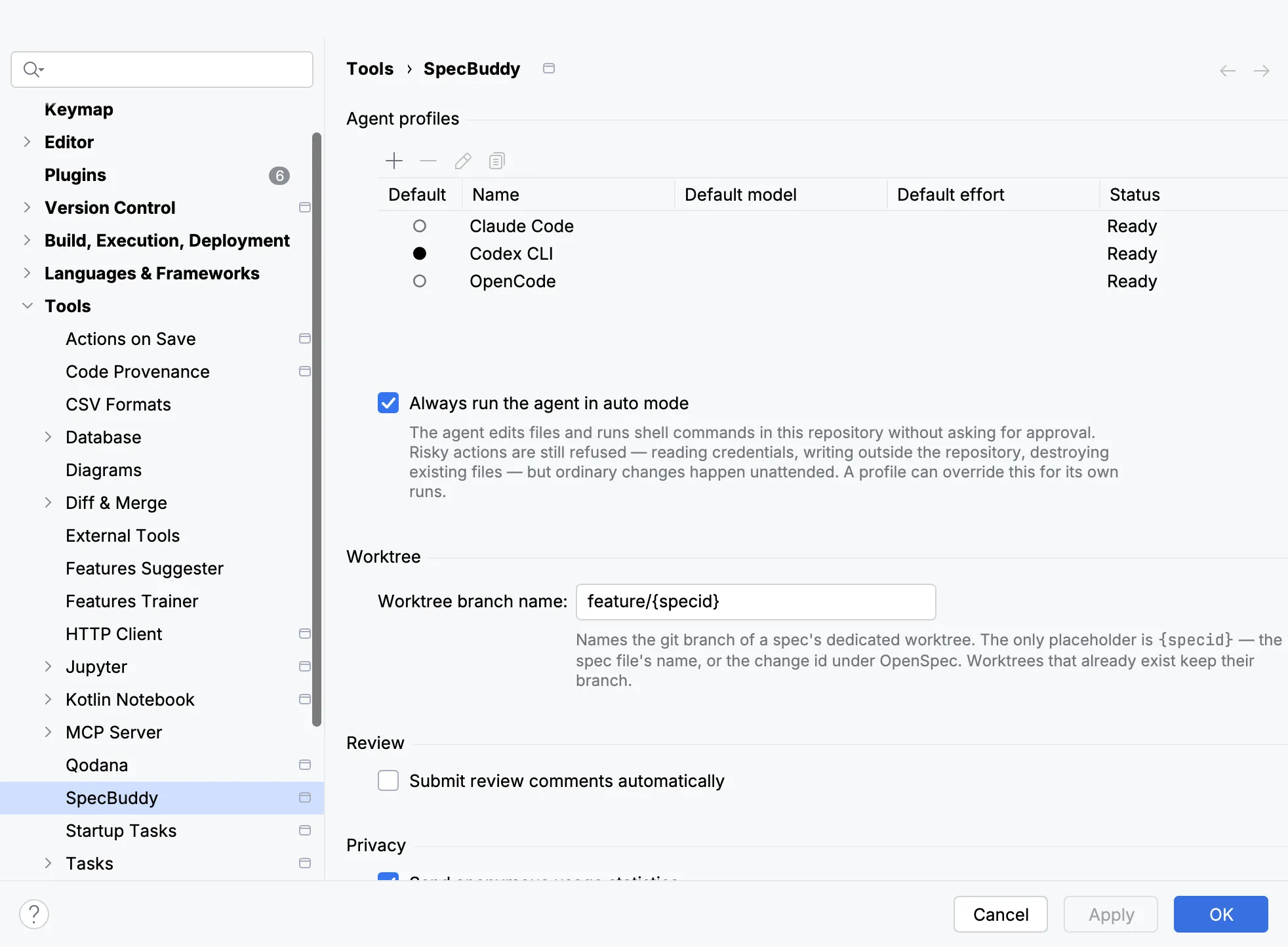
The agent is yours as well. Claude Code, Codex, OpenCode and Cursor each have a preset: SpecBuddy finds the installed binary and offers to install what’s missing. The conversation runs over the Agent Client Protocol, so any ACP-capable agent works as a custom profile.
Surface one: drive it from the IDE
Propose in an editor
A change starts with a description of what you want, and a good description is a paragraph or five. A terminal line, with no wrapping and no undo, is a bad place to write it. New OpenSpec Change opens an editor instead. You write there, the way you write anything else, and send it when it says what you mean.
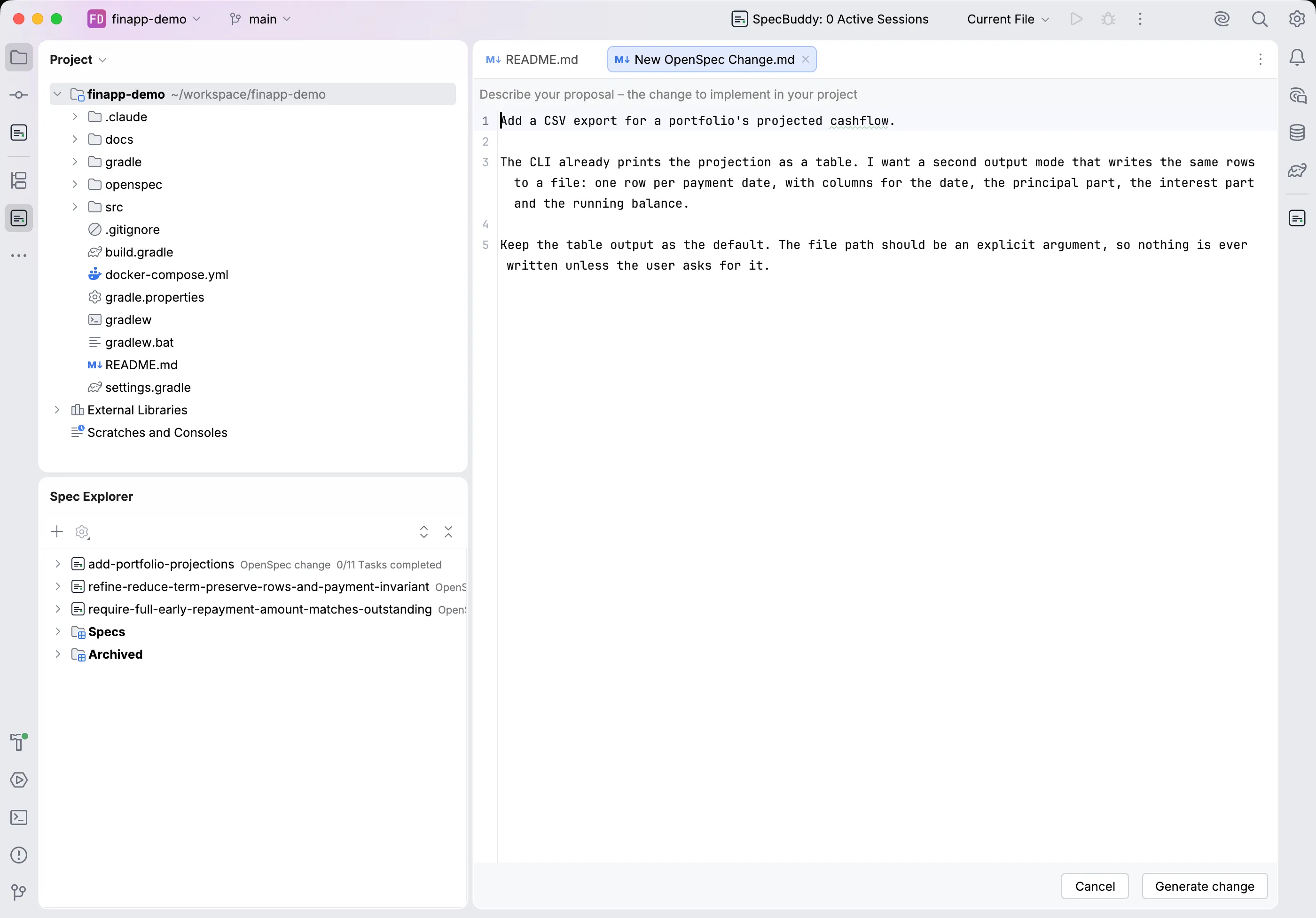
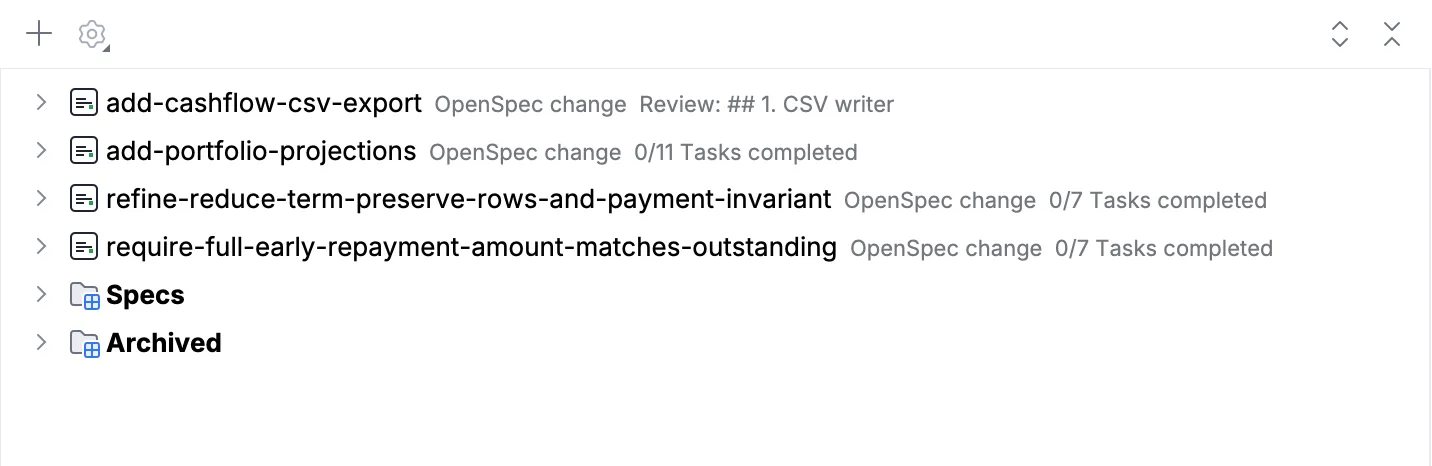
What comes back is a change folder, and the Spec Explorer shows it as a unit of work next to your other specs, with its state on the row: Draft, Spec, 3/7 Steps completed. Active work is on top, archived changes are below. You no longer run openspec list to see where you are.
Review before a line of code exists
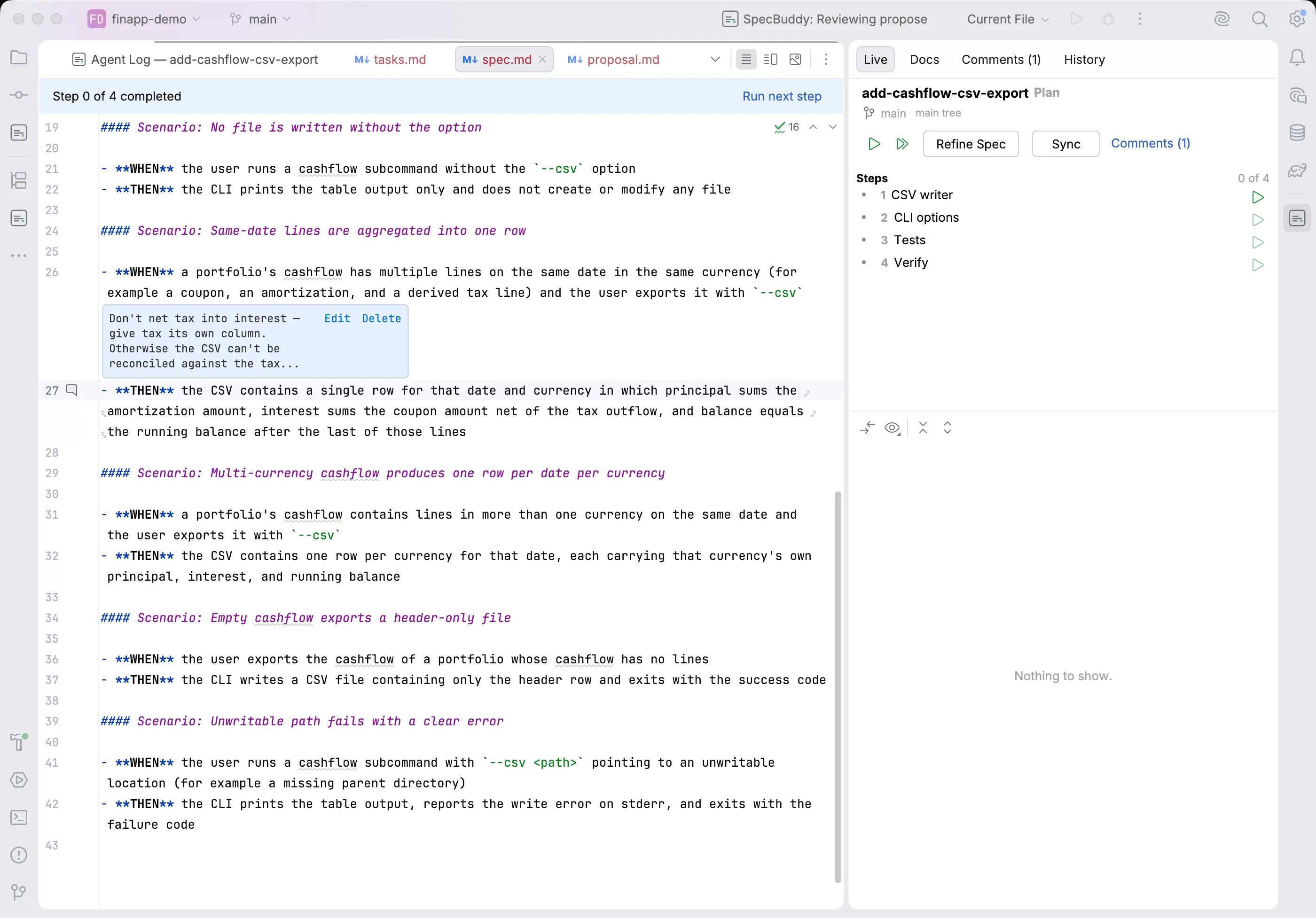
The agent wrote a delta spec with seven WHEN/THEN scenarios, and one of them is wrong. In a chat you have to describe in words which paragraph you disagree with, and hope the agent finds the right line.
In SpecBuddy you comment on the line, the same way you review a colleague’s pull request. Select the scenario in proposal.md, design.md, a delta spec or tasks.md, leave a comment, keep reading. The Cockpit’s Comments tab collects the comments and sorts them into two groups: comments about the change itself, and comments about one task. When you refine a group, the agent gets only that group’s comments. Your note on task 6 doesn’t turn into a rewrite of the proposal.
Apply one step at a time
/opsx:apply runs the whole checklist at once. SpecBuddy runs one step per session, where a step is one of the checklist’s numbered groups. Before and after every step it records a git snapshot, which is what makes the review gate and the rollback below exact. When you are working on one change at a time it runs in your working copy; start a second change while the first one is still running and it gets its own git worktree, so two changes never fight over the same files.
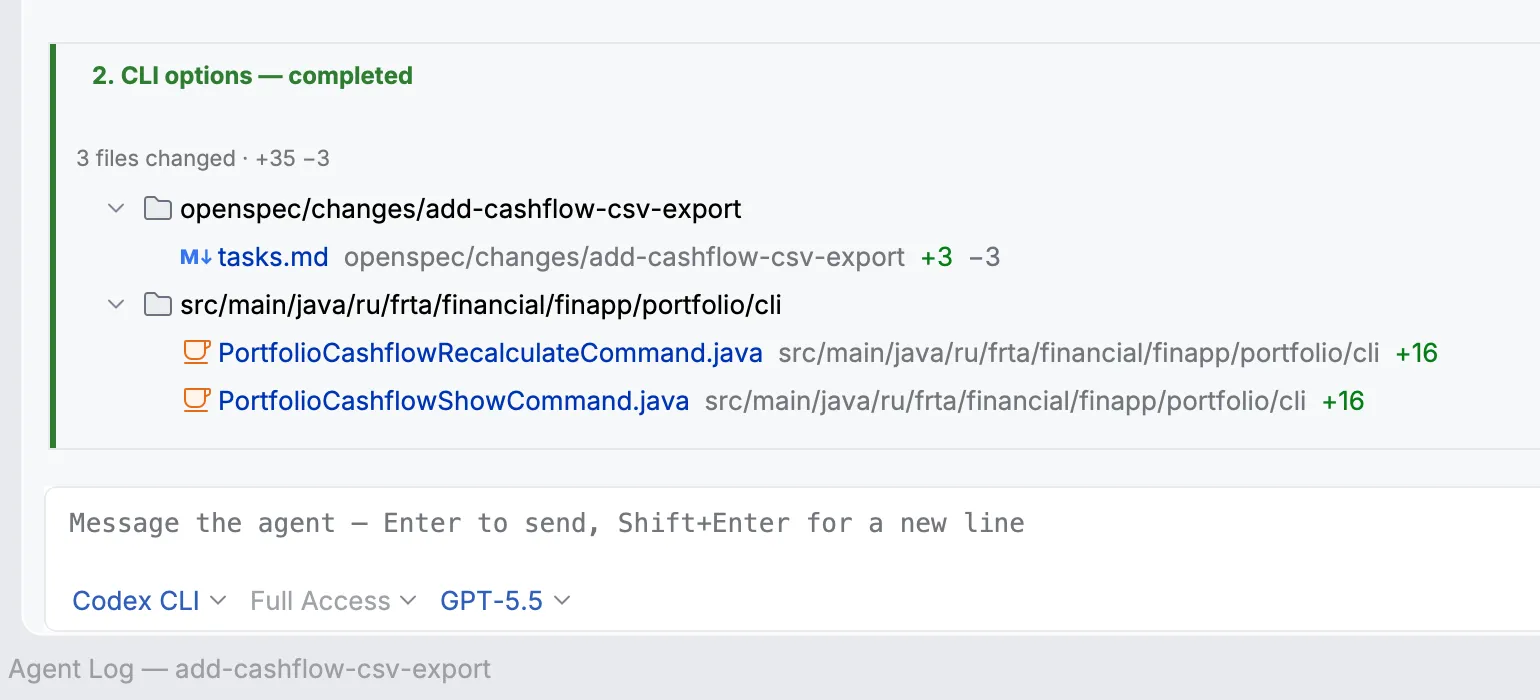
When a step finishes, you get the diff for that step alone, not for everything done so far. Then you have three options. Accept it and move on. Refine it, with your comments and a note about what’s wrong, and the agent redoes the step, so the next one isn’t built on a mistake. Rollback returns the code to the exact state before the run: every step is recorded with a git snapshot before and after it, so the rollback is exact.
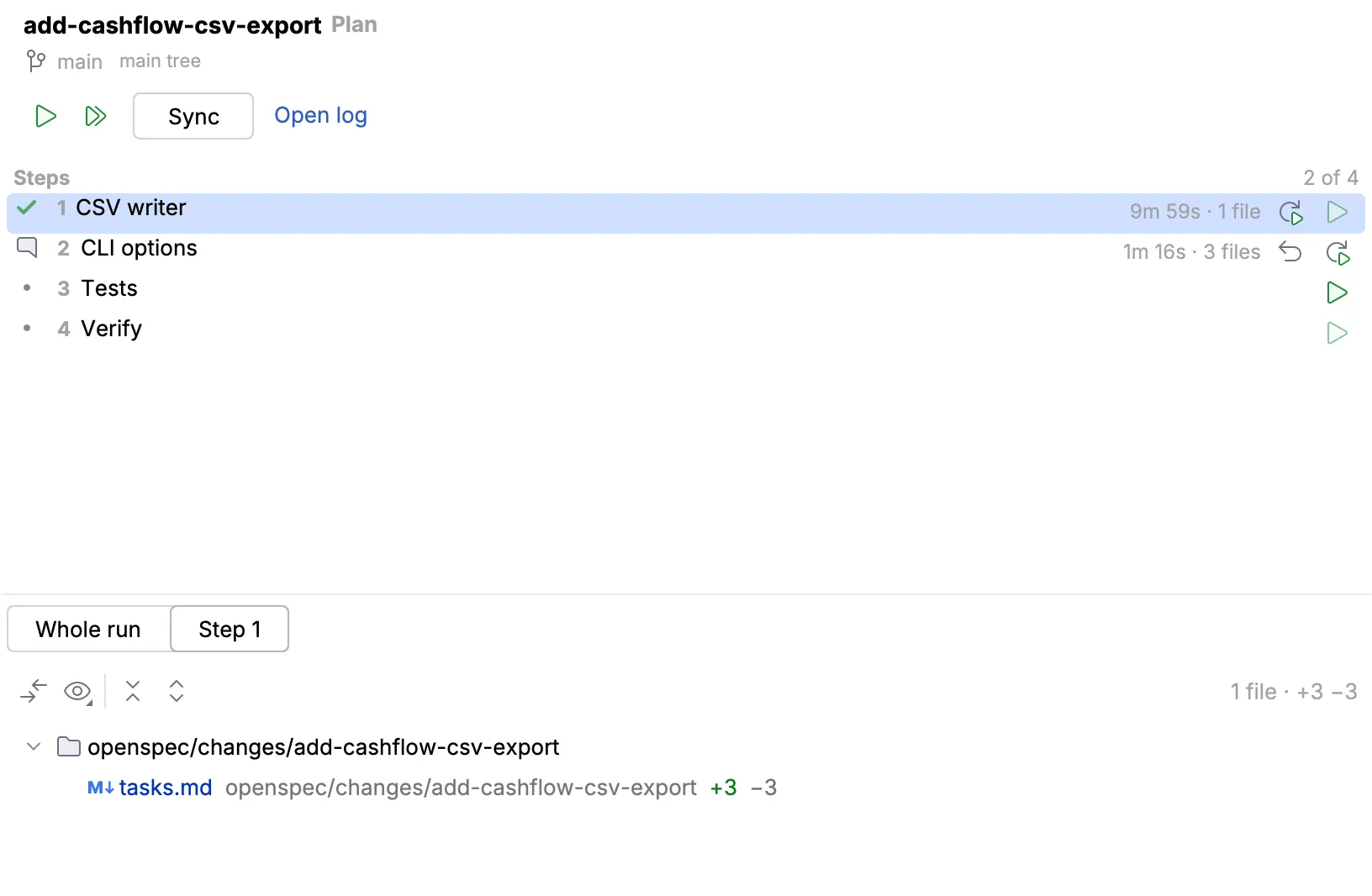
You also choose how tight the leash is. Press the play triangle on any pending step to run just that one. Pick a step further down and everything up to it runs in sequence. And when the agent has earned some trust, let it work through the rest of the plan in one go and review at the end.
Whichever way you ran them, the per-step diffs stay. Open step 2 and you see exactly what step 2 changed, not the pile. Read them in order and you can follow how the change actually grew — which step introduced the abstraction, which one bent it, where the design met something nobody expected. Any completed step can be refined later, and any completed step can be run again.
Watch what the agent does
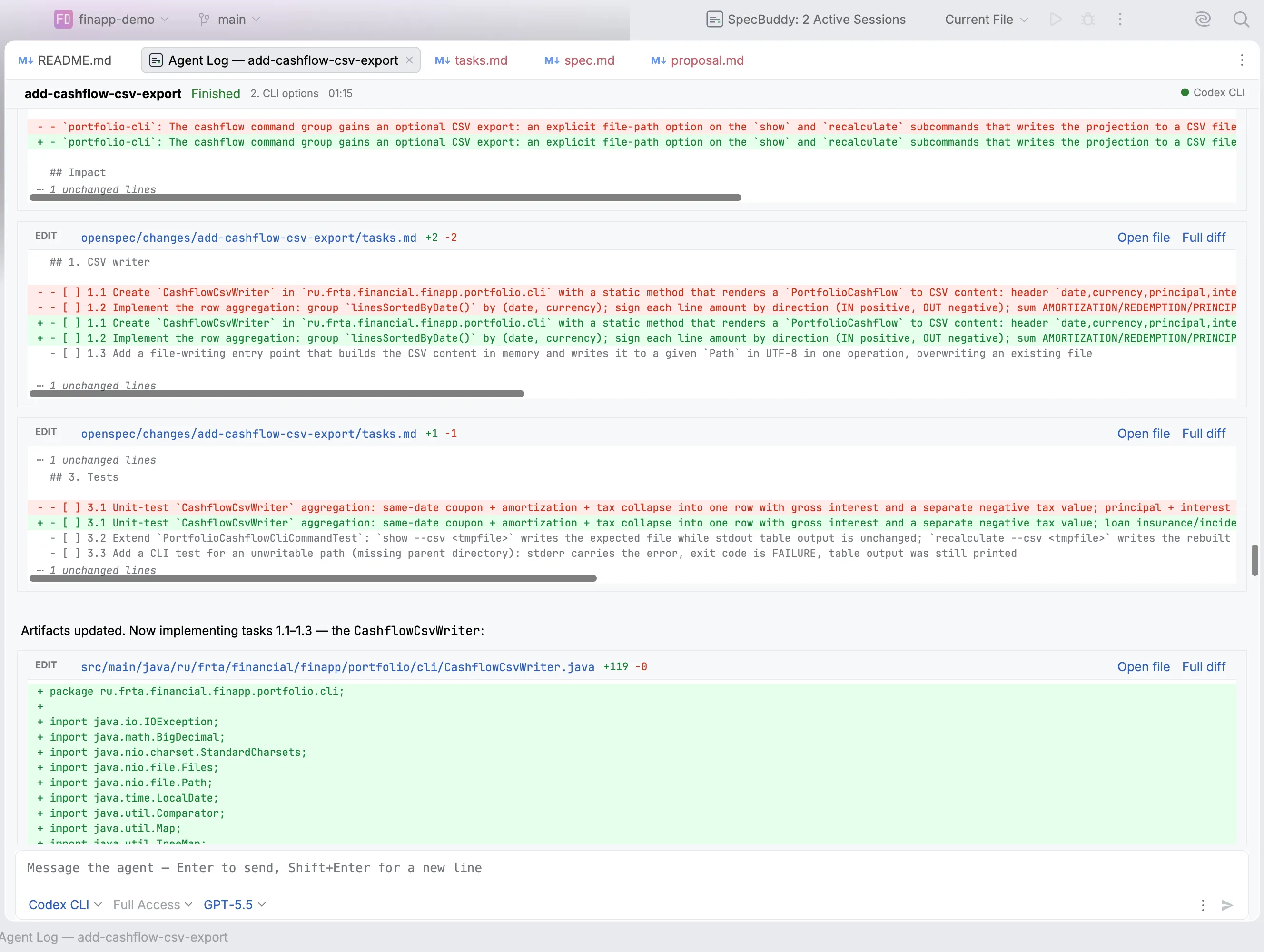
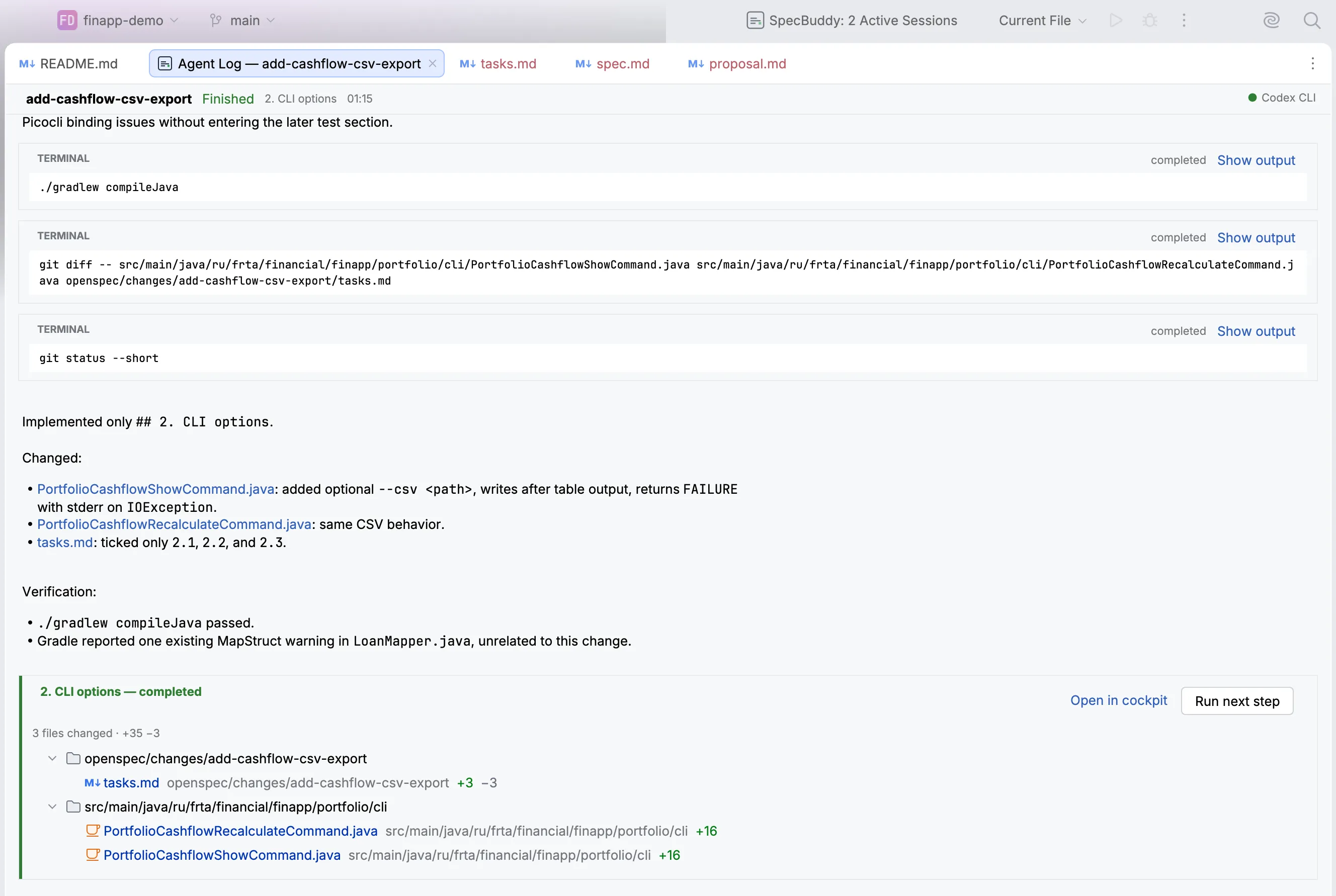
Each run opens as an editor tab that shows the work as it happens: every file the agent read, every edit with its diff, every command and its output, sub-agent cards, and the agent’s own plan, updated as it works. Markdown is rendered. You can search inside the log and move around it with the structure view, instead of scrolling 4000 lines. When the run finishes, the tab ends with a diff summary of everything it touched.
SpecBuddy saves the logs. Open one again after the session is gone, and it’s all still there.
Sync and archive
When the code is in, the main specs are out of date, and the Cockpit has the buttons for that. Sync, during a long change, keeps openspec/specs/ current. Archive closes a finished change, and Sync and archive does both. Each one is a real /opsx:* run, recorded like any other.
Surface two: drive it from the conversation
Buttons work when you know what you want to press. Often you don’t know yet. You have read the diff for step 3, something bothers you, and you have a question before you have a decision.
So the agent session stays open when a run finishes. Ask it there:
You: Why did you put the retry in the client instead of the service?
Agent: The service is called from two places and only one of them is idempotent, so a retry there could double-post. The client wraps a single call, so a retry is safe. If you want it in the service, I’d need a guard for the non-idempotent path.
You: Leave it. Run next step.
The last line does the same thing as the play button: one step, a snapshot before and after it, and a diff waiting for your review at the end. Name a step and it runs that one. “Run step 2 again” re-runs a step you already accepted, which is how you redo work after you change your mind.
Refining works the same way: say what’s wrong, and the review updates in place. Comments you left in the editor but didn’t submit are sent together with your message, so “and fix what I marked” is one message, not two. The model, the reasoning effort and the permission mode are drop-downs inside the input, and you can change them mid-session: a cheaper model for a mechanical step, more reasoning effort for the one that keeps going wrong.
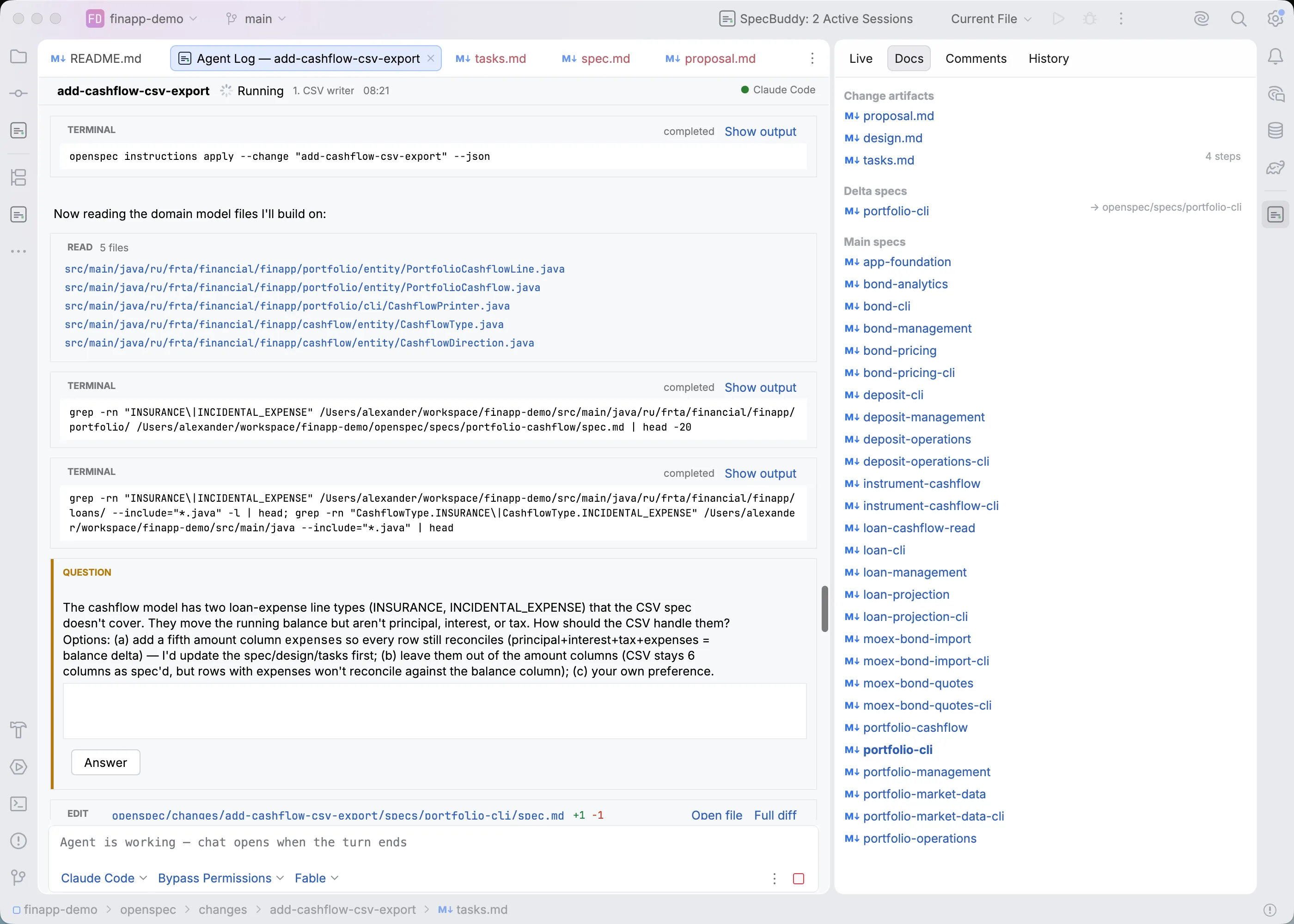
The agent can also ask you a question in the log and wait for your answer — which is what happens the first time it meets something the spec does not cover.
Why this matters for OpenSpec
Spec-driven development is built on one idea: intent that is written down is better than intent that is remembered. OpenSpec does that well. The spec is Markdown in your repo, the deltas are reviewable, and archiving keeps the canonical description current.
But a spec is a map, and the code is the territory. You find out the map is wrong by walking it, usually a step or two in, when the agent meets a constraint nobody knew about when the design was written. In a single-pass apply, that discovery has nowhere to go. The agent decides alone, and its decision ends up inside a large diff that you will read quickly. The spec you archive afterwards describes a change you didn’t quite make.
Put a human at each step boundary, and the discovery has somewhere to go. You see the problem while it’s still cheap to fix, you correct the delta spec and not only the code, and what archive merges into your main specs is what really happened.
SpecBuddy is a free JetBrains plugin. It drives your AI coding agent through a spec, a plan, and a review gate on every step, with full OpenSpec support. Grab it from the JetBrains Marketplace.