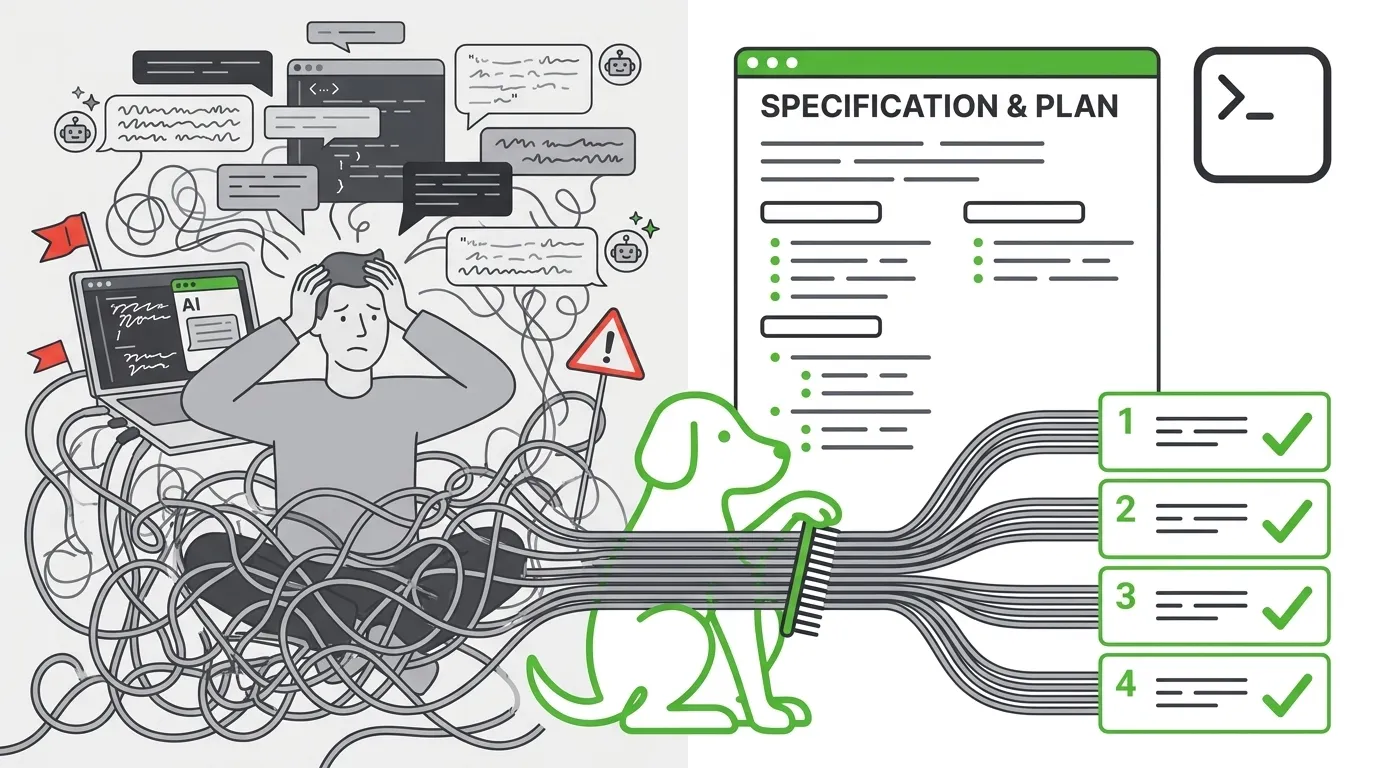
How often do you come away unhappy with the result after working with an agent on a new feature? Either something doesn’t work, or the code quality is just unacceptable. You ask the agent again and again, you try to nail the “perfect” prompt — and it still doesn’t come together. I’m convinced: the longer you work with an agent, the more often you end up disappointed. And that’s no surprise: an agent writes code very fast — which is exactly why it’s VERY easy to end up with a VERY large pile of code you don’t need. But code is the easy part. The engineer’s real job is building systems: reliable, fast, maintainable. That’s what we’re actually paid for — and that’s the part an agent doesn’t do for us yet.
The industry is quick to come up with answers, and one of the most visible right now is Spec-Driven Development. Plenty of developers arrive at the idea on their own, and tools like OpenSpec and GitHub SpecKit offer full-blown methodologies for working with specifications. Great tools — do try them. But for me personally, they’re missing one thing: a comfortable UX.
I live in my IDE, and I don’t think IDEs are going away. I barely write code in them anymore — but I do write specs. The trouble is, an agent in the IDE today is essentially a chat window bolted onto the side. It hardly uses what the IDE is actually good at: structured documents, diffs, comments right on the code. Everything happens in a linear feed, where context gets cluttered and sinks (you remember the U-shaped attention curve — a model holds the middle of a long conversation worse than the ends?). A spec works differently: it’s a durable, structured document that lives outside the feed and doesn’t go anywhere — both the agent and I keep coming back to it. So I started wondering: could the IDE become a place that HELPS me write those specs, and HELPS me control how the agent implements them? Because even a perfect spec doesn’t guarantee the result: an agent physically can’t pull ALL the context out of my head. Which means writing the spec is only half the job; the other half — controlling how the agent implements it — someone has to take on too.
That’s why I started building SpecBuddy. SpecBuddy is a plugin for JetBrains IDEs that turns your IDE into a cockpit for your agent: it helps you write specs, plan the work, and control how it gets done. To me, without these three things you just won’t get consistent results out of an agent.
How it works
Let’s see how it works. Imagine that, as a developer, you’re handed a task: build an inventory-management system for some online store. The scenario is simple — a user wants to place an order, but first the system has to make sure the item they want is actually in stock. Sounds simple? In reality, even if the app is tiny (and I’m deliberately taking an easy example), a huge number of questions come up. How many warehouses do we have? Is there transfer between them? Do we need to reserve stock for an order — and if so, at what point and for how long? Who gets notified when stock runs out, and when? How do we track stock movement? And so on, and so on. If you hand a task like this to an agent in a chat, it’ll raise some of these questions and make up answers to the rest on its own. The code we end up with we probably won’t like — and we’ll face a choice: start over with a refined prompt, or make edit after edit in the chat.
SpecBuddy lets you start from intent. We create a draft spec, write our request (the more detailed, the better), and hit the Explode button — it expands a short intent into a detailed specification.
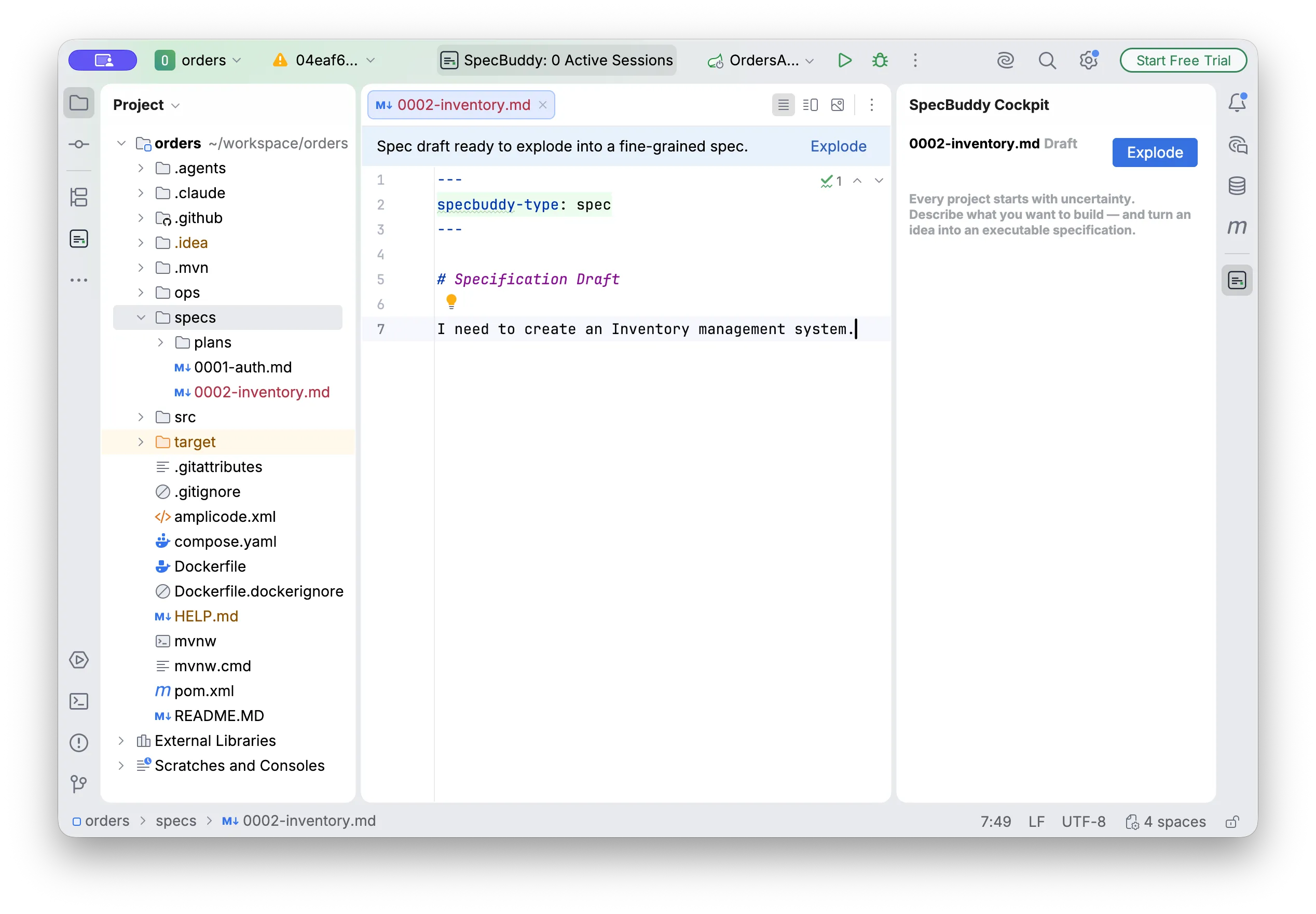
SpecBuddy fires up your favorite agent (Claude Code or Codex) and turns the draft into a full document. We read it. It’s almost never perfect on the first try — and that’s fine: the first draft isn’t meant to be final; its job is to give us something concrete to steer. The question is what you steer it with. In a chat — only with new messages that drown in the context. In SpecBuddy — with the classic code-review UX: we leave comments right in the document, and the agent revises it based on them.
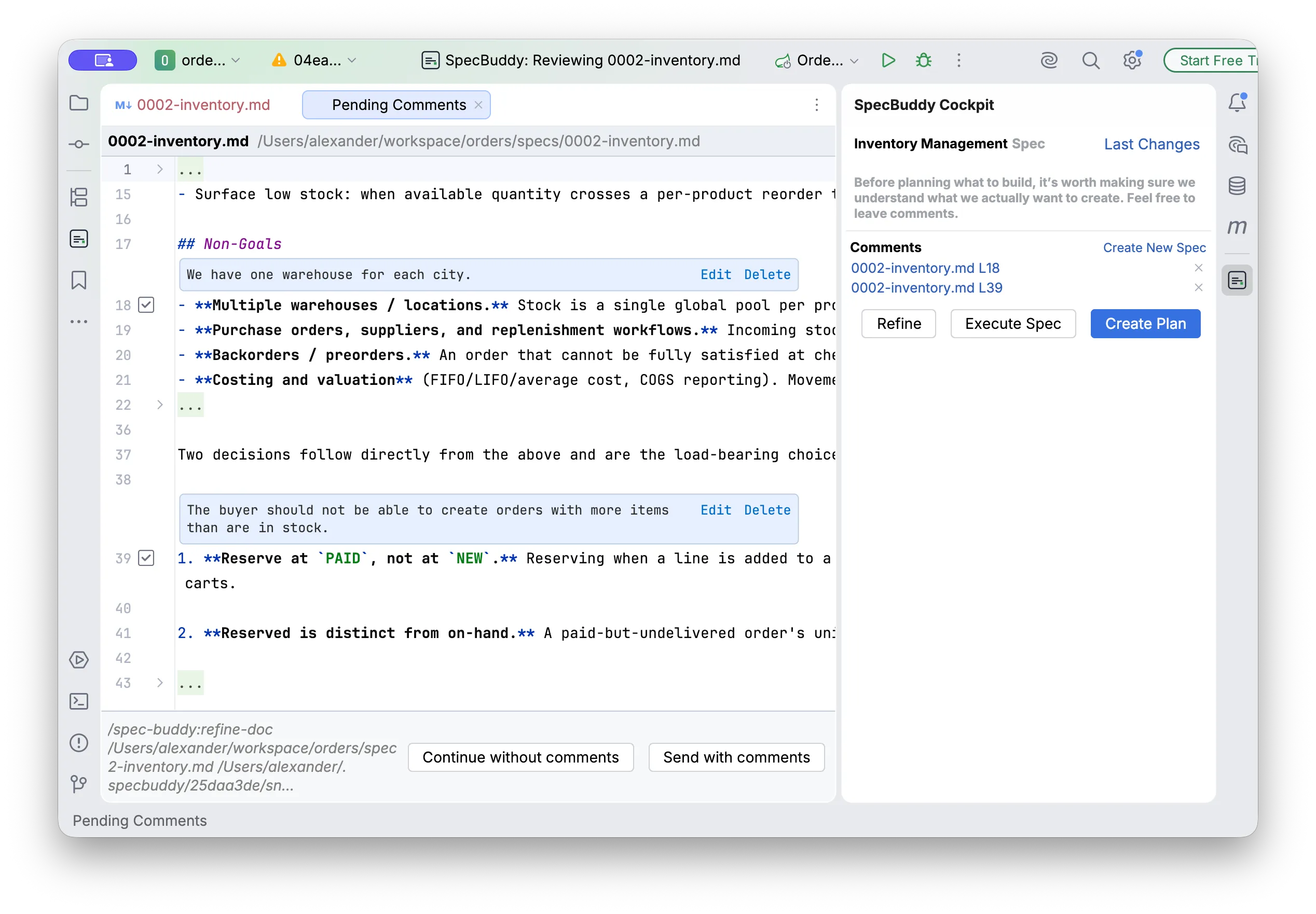
After a couple of iterations, we get a document that’s very close to what we need. If the task is simple and you trust the agent, you can send it straight to execution — all that’s left is to keep an eye on it. But for trickier tasks, it’s better to create a plan first.
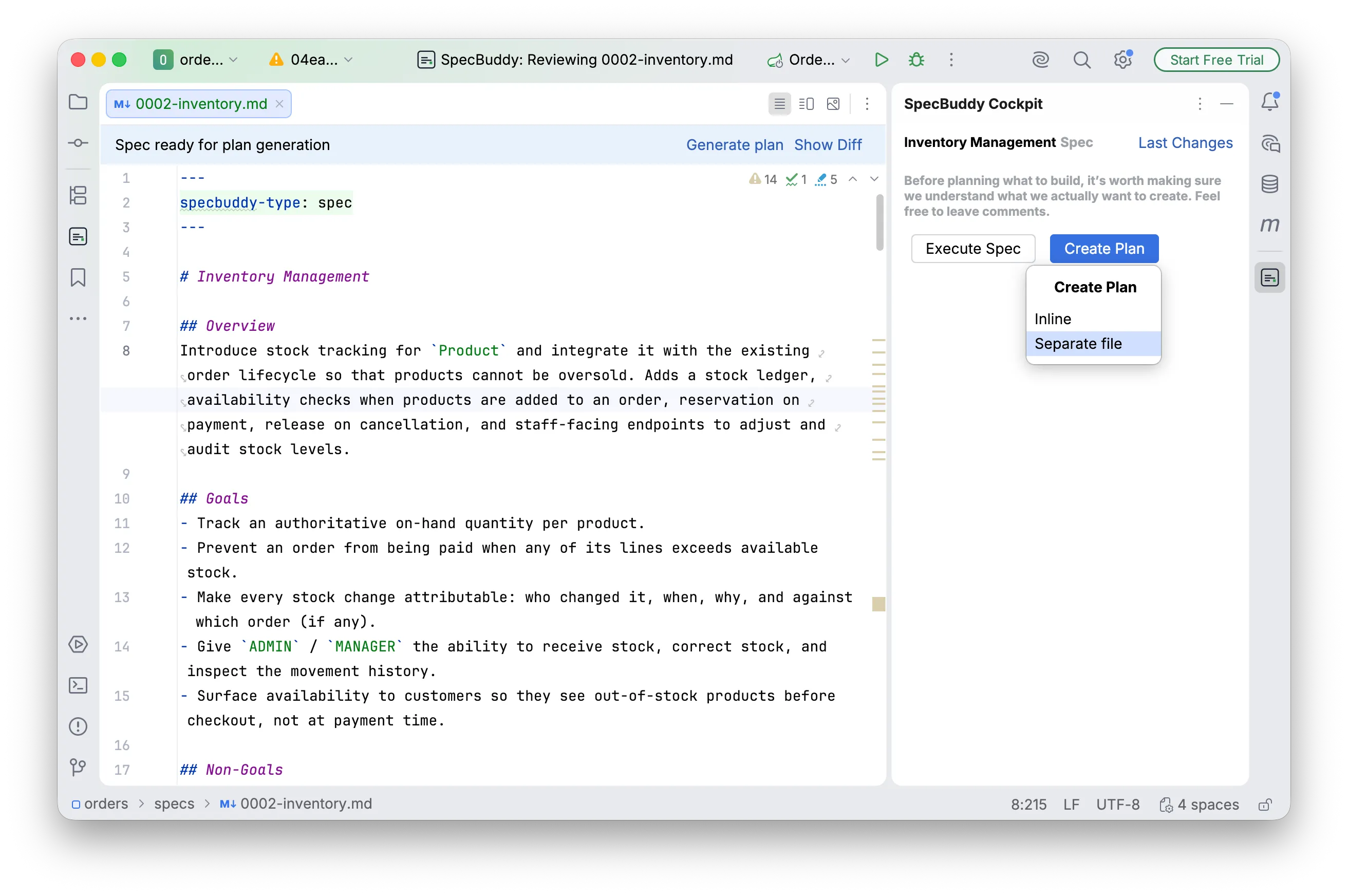
Maybe you already know exactly how the task should be done — especially on a project you know well. Then it would be doubly annoying if the agent went off in some other direction. The plan can be reviewed the same way and sent back to the agent for revision — until you’re confident it’ll handle it. Remember: catching a mistake at the plan stage is cheap. It’s nothing like finding it in already-generated code, rolling everything back, and praying to attempt number N. Here we fix a single line of the plan before a single line of code is written.
After that, you can run the plan’s steps one by one. After each step you can review the code and make corrections — both to the code and to the plan itself. Think of it this way: the agent is the autopilot, and the engineer is the captain. The autopilot flies, but the human sets the course — and can take over at any moment.
For example, the agent decided to backfill missing ProductStock rows at application startup. Looks harmless — but there’s a hidden problem: a product created through the endpoint after the app is already running won’t get its row, which means it can’t be sold or received into stock until the next restart. That’s unacceptable. We leave a comment right on the line of code and ask the agent not just to fix the code, but to lock the correct behavior into the spec and the plan: the code gets fixed, the behavior gets pinned down in the document.
By the way, SpecBuddy lets you handle a comment in more than one way. A minor remark can be closed by fixing the code alone, without touching the plan. And for a critical architectural mistake there’s a harsher option — roll back the whole result of the last step and redo it from scratch, this time with your remark taken into account.
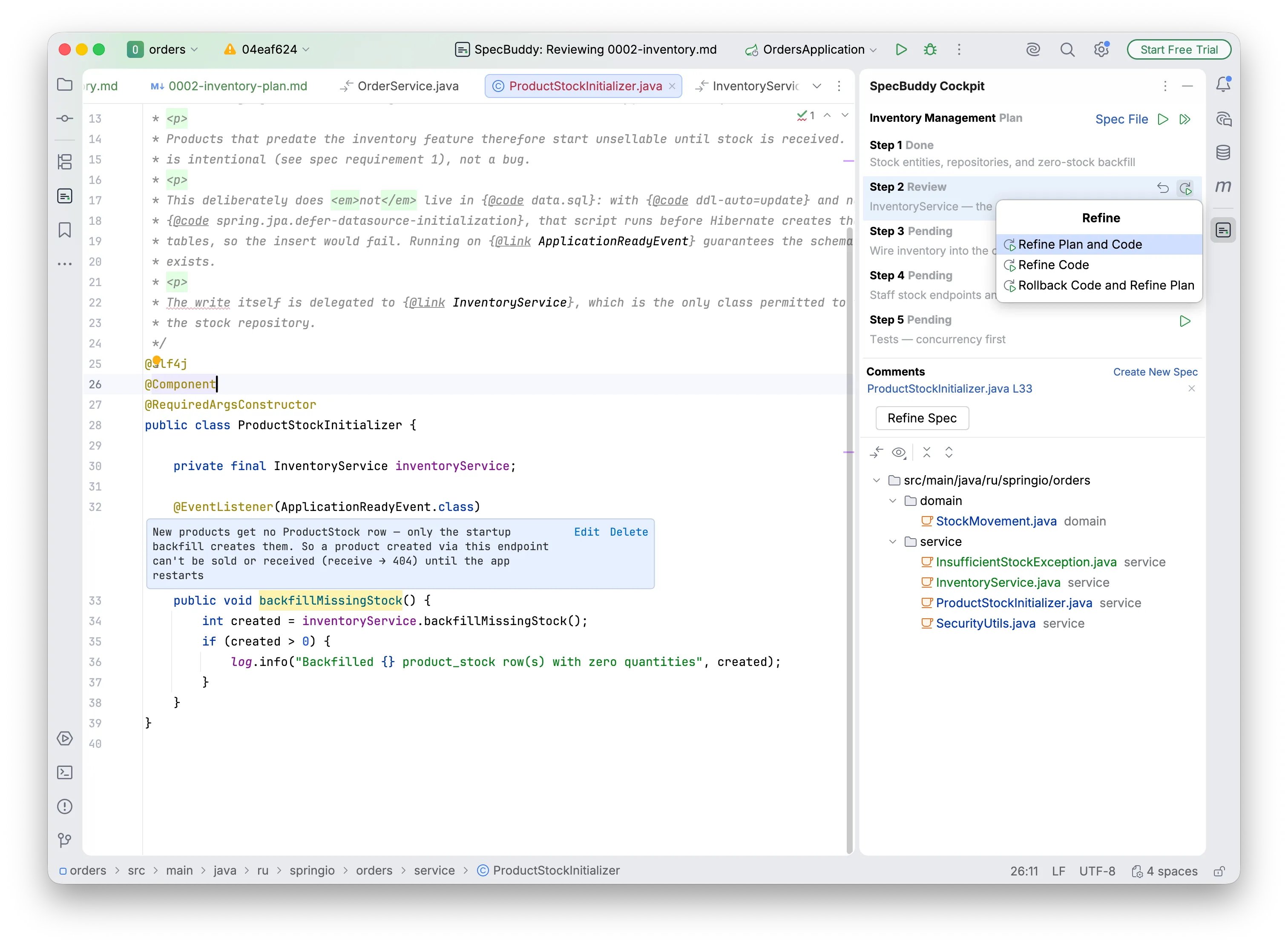
This way, with SpecBuddy, I can first set the direction precisely, then control the execution and make corrections along the way.
Working in parallel
Working with agents, I keep running into this moment: the agent has gone off to run a step, and I’ve got nothing to do — so I pick up the next task and fire off a second agent. The only problem is that two agents on the same project start stepping on each other’s toes: they edit the same files and overwrite each other’s changes. Managing one agent is a skill; managing several is a job.
This is where the git worktree helps — a separate working copy of the project where edits don’t overlap. SpecBuddy takes care of it: start a new spec before closing the previous one, and it offers to set up a dedicated worktree and run that task there — isolated, but with the same step-by-step review. And when everything’s ready, you merge the branches back together, by hand or with the agent. It’s the same cockpit — just for several agents at once now.
Where this is heading
Today SpecBuddy implements one simple Spec-Driven workflow — and even that gives me a tangible boost every day. But that’s a starting point, not a ceiling. I see SpecBuddy as a single cockpit for agents inside your IDE — whatever your agent and whatever your IDE. From here, three directions:
- More workflows. GitHub SpecKit and OpenSpec set strong methodologies, but they live outside the IDE. I want to bring their convenience inside — so that you choose a methodology instead of settling for the one that’s imposed on you.
- More agents. Right now it’s Claude Code and Codex; OpenCode and others are next. Your favorite agent should be your choice, not my limitation.
- More IDEs. JetBrains is my home, but Cursor and VS Code are on the roadmap too.
And this is where I need you. SpecBuddy is young enough that its direction can still be shaped — which means you can influence it. What to support next, what hurts for you specifically — tell me on Discord; I read everything.
Here’s an interesting paradox: a developer’s job has actually gotten harder. We no longer do the meditative writing of code — instead we have to make the hard architectural decisions for the agent and lead it by the hand, like a small child. But a tool like SpecBuddy, I’m sure, will make that work far more interesting, clearer, and more enjoyable.

Try it yourself. SpecBuddy is free. Grab it from the JetBrains Marketplace (installation takes a couple of minutes), hook up your own Claude Code or Codex, and run it on your next task.
And to keep up with new releases — follow me on X; and if you want a say in where SpecBuddy goes next, come join the Discord.